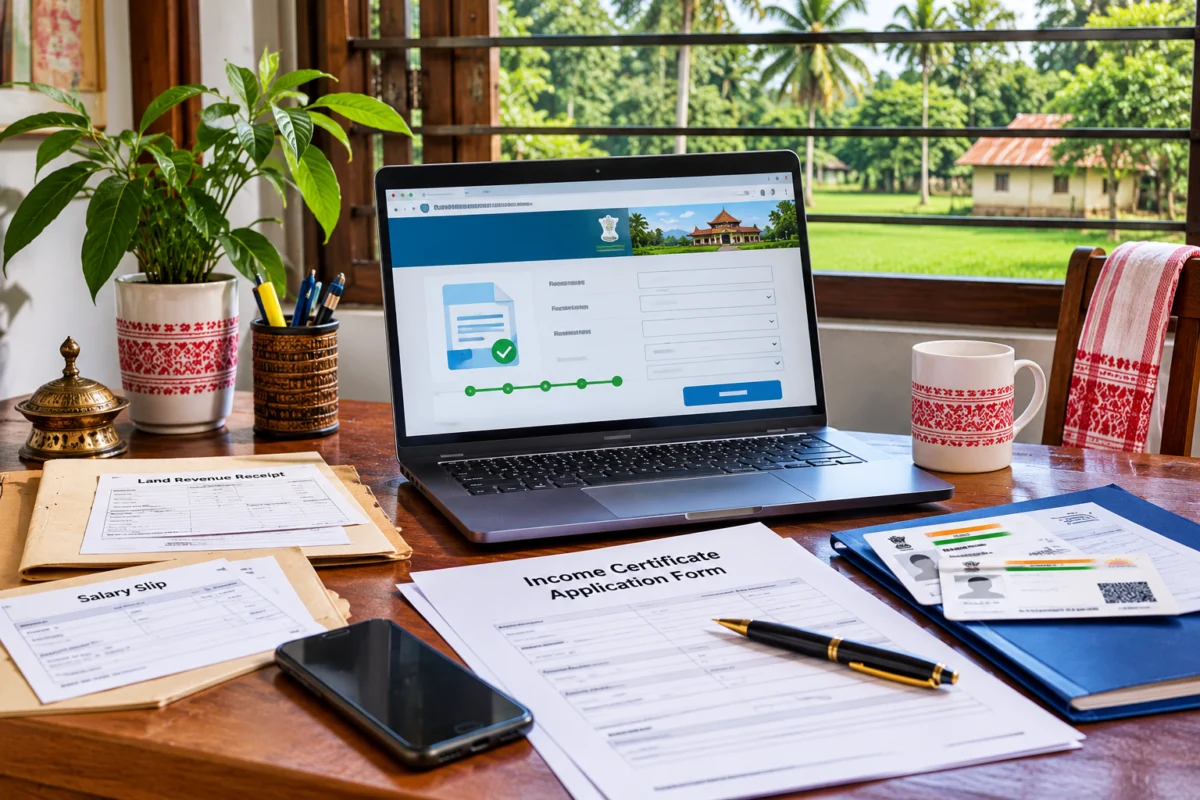
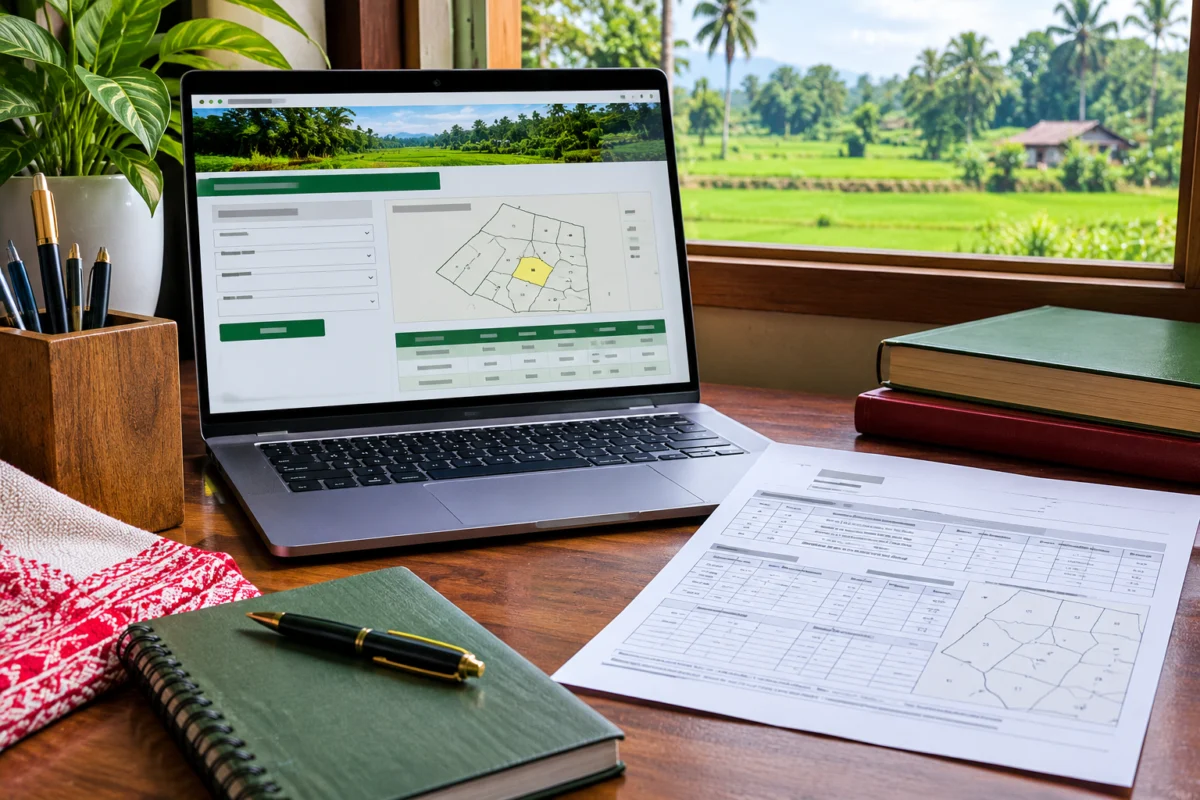
Residents of Assam can check many land-record details online through the Government of Assam’s Integrated Land Records Management System (ILRMS). Its citizen-facing Dharitree and Jamabandi services let users search for a Record of Rights (RoR) using location and land details instead of starting with a visit to a Circle Office. This is useful when checking a family land record, confirming the details written on a patta, preparing for a land-related application or identifying information that needs correction.
This guide explains how to view a Jamabandi online in Assam, which details you should keep ready, how to use the multilingual viewer, and how to request a certified copy through the Sewa Setu citizen-services portal. It also explains what to do when a record is missing or contains an error. The steps are based on the Government of Assam’s ILRMS and related official service information checked on 23 November 2026.
What is Jamabandi in Assam?
Jamabandi is a land Record of Rights (RoR) maintained in the state’s land-revenue administration. It records important information associated with a landholding, such as the recorded pattadar or pattadars, patta and dag references, land area and other revenue entries. The exact entries shown can vary with the record and the way the land is recorded.
People commonly use a Jamabandi when they need to check recorded land details for family records, mutation-related work, revenue matters or preliminary property checks. It is important to read the record carefully and compare its entries with the relevant deeds, receipts and other documents. A Jamabandi printout viewed online should not be treated as a complete legal investigation of ownership, encumbrances, boundaries or pending disputes.
Jamabandi, Patta, Dag and Chitha: what is the difference?
| Term | Meaning and use |
|---|---|
| Jamabandi / Record of Rights | The land-revenue record showing the recorded rights and related details for a holding. |
| Patta | The landholding or tenure record/reference associated with a pattadar. The patta type matters when searching and interpreting a record. |
| Dag number | The identifying number assigned to a particular plot or parcel in the land survey and revenue records. |
| Chitha | A related village-level land record containing plot and cultivation or land particulars used in revenue administration. |
| Bhunaksha / cadastral map | A map-based view that helps locate a dag or plot and understand its position in relation to nearby parcels. It is not a replacement for checking the textual record. |
These terms are related, but they are not interchangeable. For an online search, the patta and dag references are especially useful. If you are unsure which number appears on an old document, compare it with the latest land-revenue receipt or ask the Circle Office to help identify the correct reference.
Official websites to check Assam land records
Use the official Government of Assam services rather than an unofficial website asking for personal details or payment just to display a public record.
- ILRMS, Government of Assam: the main Integrated Land Records Management System portal. Its citizen section links to Jamabandi viewing and related land services.
- Dharitree citizen land-record page: the location-based record lookup and information page.
- Jamabandi viewer with transliteration: a separate viewer that offers record display in 22 listed languages.
- Sewa Setu, Government of Assam: the citizen-services portal for applying for services such as a certified copy of Jamabandi or Record of Rights/Chitha.
- Mission Basundhara: information about land-related services, application tracking and record-updation services.
- Bhunaksha Assam: the cadastral mapping service linked from the ILRMS citizen portal.
Information to keep ready before you search
The online Jamabandi viewer asks for location details before it displays the relevant records. Keep as much of the following information as possible:
- District where the land is located.
- Sub-division and Circle, where requested by the viewer.
- Mouza or Pargana, Lot and revenue village.
- Patta type, as shown in the land document.
- Patta number or Dag number.
- The pattadar’s name as written in the existing record, for comparison if you are checking a name entry.
Do not guess a patta type or use a dag number from a different village. Land references can look similar across locations. Check the district, circle, mouza and village carefully before opening a result.
How to check Jamabandi online in Assam through Dharitree
Follow these steps to view a Jamabandi or Record of Rights on the official land-record service.
- Open the official ILRMS portal. Visit ilrms.assam.gov.in. In the citizen section, locate the Jamabandi service and choose the option to view a Jamabandi copy. You can also open the Dharitree citizen page directly.
- Select the district. Choose the district where the land is recorded. Make sure you are not selecting the district where you currently live if the land is in a different district.
- Select the Circle and village details. Depending on the viewer, choose the sub-division, Circle, Mouza/Pargana, Lot and Village/Town in the displayed order. Some fields appear only after you have selected the preceding location.
- Choose the patta type. Select the correct type shown in your land papers. If you are unsure, check the original patta, revenue receipt or another reliable land document before continuing.
- Choose a search method. The multilingual Jamabandi viewer provides search options using Patta No. or Dag No. Select the method for which you have the correct reference and enter or choose the relevant number.
- Complete the captcha. Enter the characters shown on the screen. If they are difficult to read, use the refresh option if available.
- Display the record. Select Display or the equivalent button. Review the result and check that the location and land references match the plot you intended to find.
- Save a reference copy for personal checking. Use the available browser print or download option if provided. Keep in mind that a copy displayed online is not automatically the certified copy required by an authority, bank or legal process.
The exact screen layout can change as the Government updates its portals. The official viewer currently lists location fields such as District, Sub-Division, Circle, Mouza/Porgona, Lot and Village, followed by Patta type, search criteria and Patta or Dag number.
How to view Jamabandi in Assamese, English or another language
Some users find it easier to read a land record in a language other than the one in which the original entry was prepared. The Government of Assam’s Jamabandi viewer with transliteration lists 22 language options, including Assamese, English, Bengali, Bodo, Hindi, Nepali and several other Indian languages.
- Open the Jamabandi viewer with transliteration.
- Select the land’s District, Sub-Division, Circle, Mouza/Porgona, Lot and Village.
- Select the correct Patta type.
- Choose the available search criterion and enter or select the Patta or Dag reference.
- Complete the captcha and display the record.
- Choose the language or transliteration option offered by the viewer to make the entries easier to read.
Transliteration is a reading aid. It does not amend the official record, correct a spelling or change the legal status of a land entry. For an official transaction, use the certified record and supporting documents required by the concerned authority.
How to get a certified copy of Jamabandi in Assam through Sewa Setu
A record displayed on the public Jamabandi viewer is useful for checking information. When you need an authenticated or certified copy, use the Government of Assam’s citizen service for Certified Copy of Jamabandi or Records of Right/Chitha on Sewa Setu. The Dharitree citizen page itself directs users to the government service portal for a certified copy and notes that a physical visit to the service delivery office is not normally required for this online service.
- Open Sewa Setu. Visit sewasetu.assam.gov.in and use the citizen registration or login option.
- Find the correct service. Search for “Certified Copy of Jamabandi or Records of Right/Chitha” under the relevant Revenue and Disaster Management Department services. Read the eligibility and requirements shown on the live service page.
- Prepare your land details. Keep the district, Circle, Mouza, Village, Patta type and Patta or Dag reference available so that the application relates to the correct record.
- Prepare the supporting documents. The service information identifies an up-to-date land-revenue receipt or land-revenue clearance receipt for the land as an important supporting document. Keep other relevant land papers ready if the portal requests them.
- Complete the online form. Enter the applicant and land information carefully. Make sure names, numbers and location details match the documents you are submitting.
- Review the fee and submit. Check the service charge, convenience fee, payment method and any additional charges displayed by Sewa Setu or the facilitation centre before making payment. Do not rely on an old screenshot or an unofficial fee list.
- Save the acknowledgement number. Keep the application reference or acknowledgement generated after submission. It is important for tracking and for responding to any query.
- Track the application. Sign in to Sewa Setu and use the application tracking facility. Check the registered mobile number or email for updates or a request to correct missing information.
- Download the certified copy when issued. Follow the portal’s notification and download instructions once the service is completed.
The Revenue and Disaster Management Department’s published citizen charter lists a five-day stipulated service period for a certified copy of Jamabandi/Chitha. This is the notified period in that charter, not a guarantee that every application will be completed in exactly five days. Incomplete details, verification or a request for clarification can affect processing. Always check the current service page and acknowledgement for the applicable conditions.
What documents may be needed for a certified Jamabandi copy?
Use the live Sewa Setu service page as the final checklist because document requirements can depend on the service and the applicant’s circumstances. The official Dharitree and citizen-service information identifies the following as useful items to prepare:
- Up-to-date land-revenue receipt or land-revenue clearance receipt for the land concerned.
- Other land-related documents available to support the application, such as the existing patta, an earlier Jamabandi or a relevant land document, if requested.
- Correct location and land references, including district, Circle, village, patta type, Patta number and Dag number.
- Applicant details and a working mobile number for portal registration and application updates.
Do not upload unrelated documents or share identity and land papers through unofficial agents or unknown links. Use the official portal and retain your payment receipt and application acknowledgement.
What if your Jamabandi does not appear online?
A missing online result does not automatically mean that the land has no record or that the landholding is invalid. The Dharitree portal specifically advises users not to panic if a record is missing from the online system and to contact the concerned Circle Office.
Before contacting the office, check the following:
- Confirm the location: Check that the district, Circle, Mouza, Lot and village are correct.
- Check the number: Compare the Patta and Dag numbers with the most recent revenue receipt or original land document.
- Try the other available search option: If you searched by Patta number, check whether the viewer allows a Dag-number search, or the other way around.
- Check the patta type: A wrong selection may prevent the expected record from appearing.
- Check spellings and old references: Older documents may use a different spelling or a previous village reference. Do not alter official details yourself.
- Contact the Circle Office: Take the available land papers and ask the office to check the record or explain the correct process for an old or non-digitised entry.
Use the contact details published by the Revenue and Disaster Management Department or ILRMS. Avoid anyone who claims they can make a missing record appear online in exchange for an unofficial payment.
How to correct a mistake in Jamabandi
If the record appears but a pattadar’s name, land area or remark is incorrect, do not assume that downloading another copy will fix it. A correction or updation request must be made through the appropriate government process, with evidence supporting the requested change.
Mission Basundhara lists land-record services such as Name Correction, Area Correction and Remark Updation in Jamabandi under its legacy data-updation information. The relevant service page explains the documents required for each type of request. For example, the portal lists a Jamabandi copy and an up-to-date land-revenue receipt for certain area or remark correction requests. Requirements are service-specific, so read the current guidelines before applying.
Start from Mission Basundhara or the linked government land-record services. Select the service that matches the actual error, review its eligibility and document checklist, submit the application through the designated portal and save the acknowledgement number. If you cannot identify the correct correction service, ask the Circle Office rather than submitting an unrelated application.
How to use Bhunaksha with Jamabandi
Jamabandi is a text-based land record, while a cadastral map helps users understand the mapped position of a plot in relation to nearby parcels. The Government of Assam links Bhunaksha from the ILRMS citizen services.
When checking a parcel, use the map as an additional reference:
- Open the Bhunaksha Assam portal from the official ILRMS link.
- Select the location details requested by the map service.
- Use the Dag or plot reference if the service supports it for that area.
- Compare the displayed parcel reference with the Dag information in the Jamabandi and other land documents.
- Ask the Circle Office or a qualified land professional to help resolve any mismatch between the map, record and physical boundaries.
A map view is a useful cross-check, but it is not a physical boundary survey or a substitute for official demarcation where boundaries are disputed.
Important checks before buying or transferring land
Checking a Jamabandi is a useful part of preliminary land due diligence, but buyers should not rely on a single online screen. Before paying an advance or signing a transfer document, verify the relevant records and the seller’s authority through the appropriate official channels.
- Compare the recorded pattadar names and land references with the registered deed and seller’s identity documents.
- Check the latest land-revenue receipt and whether dues are outstanding.
- Confirm the land area, patta type, Dag number and location against the records and available map.
- Check for relevant registered transactions, encumbrances, restrictions, acquisition notices, court disputes or other issues through the appropriate authorities and professional advice.
- Confirm whether the proposed transfer is permitted for the land category and location, including any applicable restrictions in tribal belts, blocks or other protected areas.
- After a lawful transfer or inheritance, follow the applicable mutation process so that the revenue record can be updated.
Land transactions can involve complex facts and local restrictions. For a purchase, inheritance dispute or boundary disagreement, seek advice from a qualified local property lawyer or the relevant revenue authority. An online Jamabandi is a starting point for checking, not a guarantee that a property is free from every legal issue.
Common problems and practical solutions
| Problem | What to check or do |
|---|---|
| Village is not listed | Check the selected district, Circle, Mouza and spelling. If it is still missing, contact the Circle Office. |
| Patta number does not return a result | Verify the patta type and number from the latest land document. Try the Dag search if available. |
| Record appears for another person or plot | Stop and verify the full location and land references. Do not assume it is the correct parcel based only on a similar name. |
| Captcha does not work | Refresh the captcha, enter the new characters and try again. Use a current browser and a stable connection. |
| Record is available but not certified | Apply for the Certified Copy of Jamabandi or Records of Right/Chitha service through Sewa Setu. |
| Name or area is incorrect | Check the relevant Mission Basundhara legacy data-updation service or ask the Circle Office which correction procedure applies. |
| Application is pending or queried | Use the acknowledgement number to track it and respond to any official request for clarification through the portal. |
Frequently asked questions about Assam Jamabandi
Can I check Jamabandi online in Assam for free?
The Government of Assam provides a citizen-facing online viewer for checking available land-record information. A certified copy is a separate service and may involve charges shown during the application process.
Which website should I use to view Assam Jamabandi?
Start from the official ILRMS portal at ilrms.assam.gov.in and select the Jamabandi service. The Dharitree citizen page and the Landhub multilingual viewer are also official government services.
Can I search Jamabandi using a Dag number?
The official multilingual viewer lists Patta No. and Dag No. as search options. Choose the correct location and patta type before searching.
Can I download a certified Jamabandi online?
You can apply for a certified copy through the Sewa Setu citizen-services portal. Follow the current service instructions, upload the requested documents, complete payment and download the copy after it is issued.
Is an online Jamabandi printout a certified copy?
No. The Dharitree portal directs users to the government service portal for a certified copy. A printout from the viewer should be treated as an information copy unless it is issued through the certified-copy service.
What should I do if my land record is missing on Dharitree?
Check the location, patta type and Patta or Dag number again. If the record is still unavailable, the official Dharitree notice advises you to contact the concerned Circle Office.
Can I view Jamabandi in English?
The Government of Assam’s Jamabandi viewer with transliteration lists English and 21 other language options. Availability and display depend on the viewer and record.
Does Jamabandi prove that land has no legal dispute?
No single online record should be treated as a complete legal due-diligence report. Check registered deeds, relevant encumbrance information, restrictions, pending disputes and boundaries through the appropriate official channels and professional advice.
Official Assam land-record links
| Government service | Official link | Purpose |
|---|---|---|
| ILRMS | Open ILRMS | Main land-record services portal |
| Dharitree | Open Dharitree | Citizen land-record lookup |
| Jamabandi with transliteration | Open language viewer | View records in listed language options |
| Sewa Setu | Open Sewa Setu | Apply for certified copies and citizen services |
| Mission Basundhara | Open Basundhara | Land-record updation and application services |
| Bhunaksha | Open Bhunaksha | Cadastral map service |
Final thoughts
Checking Jamabandi online can save time when you need to review recorded land details in Assam. Start with the official ILRMS viewer, select the correct location and search with the available Patta or Dag reference. Use the multilingual viewer when it helps you understand the entries, and apply through Sewa Setu when you need a certified copy. If a record is missing or incorrect, contact the Circle Office or use the appropriate government correction service. Always compare the online record with supporting documents before making an important land or property decision.