
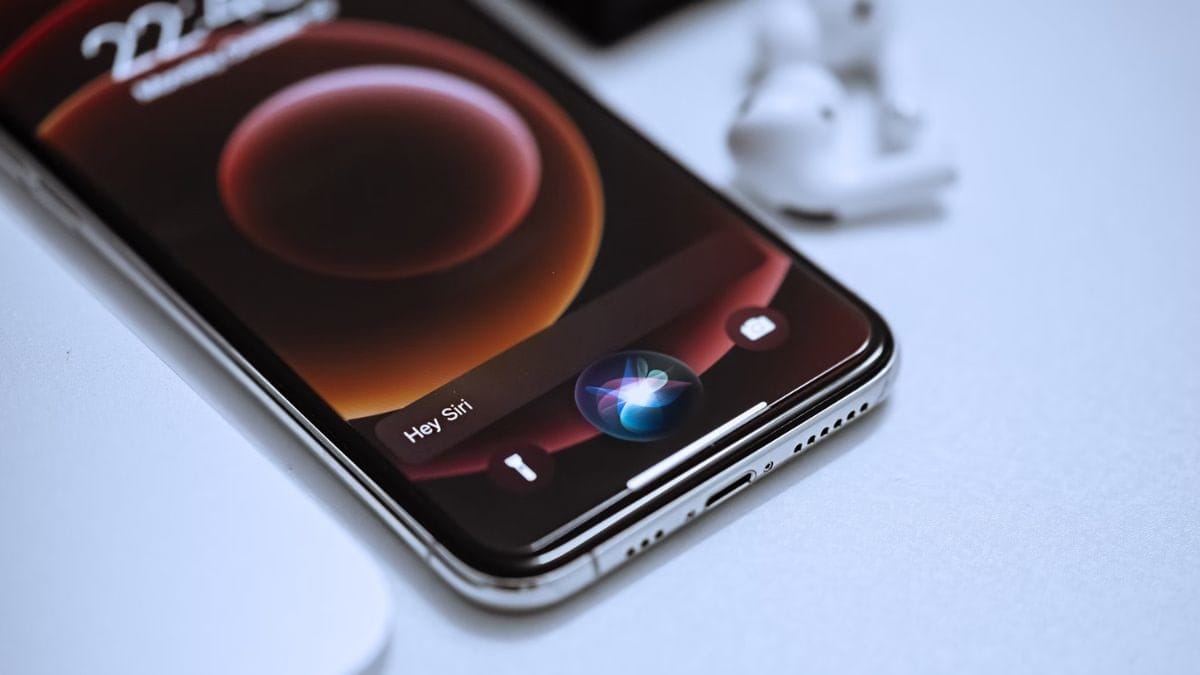
Apple’s 2024 artificial intelligence plans have developed into Apple Intelligence, a collection of features built into compatible iPhone, iPad and Mac software. Some features predicted before WWDC 2024, including notification summaries, photo cleanup and audio transcription summaries, arrived through later software updates. The more ambitious conversational Siri took longer: Apple introduced the next-generation assistant as Siri AI in June 2026 and began rolling it out as a beta with its iOS 27 software generation in September 2026.
This guide explains what Apple originally planned, which features are now available, what the new Siri can do, which devices and languages are supported, and how users can check availability. It also separates features that shipped from older reports and rumours that should not be treated as confirmed product specifications.
What Apple was expected to announce before WWDC 2024
Before Apple’s Worldwide Developers Conference in June 2024, reports described an internal AI initiative and plans to add generative AI features throughout the company’s software. One rumoured feature was a notification summary that would help users catch up on alerts. Siri was also expected to become more natural, understand follow-up requests and work with more context.
Those early reports used internal project names and described features that were still in development. They were not a complete list of confirmed products. Apple later introduced the public-facing Apple Intelligence brand and announced its actual feature roadmap at WWDC 2024.
Which predicted Apple Intelligence features actually arrived?
Apple announced the first Apple Intelligence features in June 2024 and began releasing them through software updates later that year. The first public feature set arrived with iOS 18.1, iPadOS 18.1 and macOS Sequoia 15.1 in October 2024. More capabilities followed in later releases.
| Feature discussed in 2024 | What happened | Current position |
|---|---|---|
| Notification summaries | Released as part of Apple Intelligence | Available on supported devices and languages; can be configured or turned off |
| More natural Siri | An initial Siri refresh arrived with iOS 18.1 | Included improved language handling, product knowledge and Type to Siri |
| More conversational Siri with personal context | The larger upgrade arrived later than originally expected | Introduced as Siri AI in 2026 and rolling out in beta with iOS 27 |
| Photos Clean Up | Released with Apple Intelligence | Removes distracting objects from supported photos |
| Safari webpage summaries | Added through later Apple Intelligence software | Available on compatible devices in supported languages and regions |
| Notes audio transcription and summaries | Audio recording, transcription and summaries were added | Available on compatible devices, subject to language and region support |
Notification summaries: how they work
Notification summaries use Apple Intelligence to condense long or stacked notifications so users can scan important details without opening every alert. For example, a busy group conversation can be summarised to show its main points. Apple also provides priority notification features and a Reduce Interruptions Focus mode to help surface alerts that may need attention.
On a supported iPhone, open Settings, select Notifications, then choose Summarize Notifications. You can turn summaries on or off and select which apps are included. The available controls may differ by software version and device.
Summaries are generated by AI and can omit context or misrepresent a notification. Read the original message before acting on information that matters, especially financial instructions, medical information, travel changes or urgent requests.
The first Siri upgrade in iOS 18
The initial Apple Intelligence Siri refresh introduced a new visual design, the ability to type requests, improved language understanding and a larger body of product knowledge. Siri became better at following users when they stumbled over words and could maintain context between certain follow-up requests.
These improvements were useful, but they were not the full personal assistant described in the early expectations. The initial release did not deliver all the promised personal-context understanding, onscreen awareness and broad cross-app actions at once. Apple rolled out the more ambitious Siri experience later.
Siri AI: Apple’s more conversational assistant in 2026
Apple introduced Siri AI on 8 June 2026 as a redesigned assistant powered by the next generation of Apple Intelligence. Apple describes it as more conversational and capable of understanding personal context, recognising what’s on the screen, using broad world knowledge and taking more actions across apps.
Apple’s September 14, 2026 software update announcement said Siri AI would begin rolling out as a beta with the iOS 27, iPadOS 27, macOS 27 and related platform releases. The new assistant can support tasks such as finding information in messages, emails and photos, answering questions about on-screen content, drafting an email and taking actions across supported apps.
What can the new Siri do?
- Understand personal context: Find information from supported personal content, such as a message, photo, email or calendar item.
- Understand the screen: Answer questions about content currently displayed and take supported actions related to it.
- Continue a conversation: Handle richer follow-up questions rather than treating every request as an unrelated command.
- Use broader knowledge: Retrieve up-to-date information and provide answers on a wider range of subjects.
- Take actions across apps: Perform supported tasks such as drafting messages or emails, finding information and working with photos.
- Use visual intelligence: With supported devices and software, users can ask questions about what the camera sees or what is displayed on screen.
Apple says Siri AI is still in beta. Capabilities, app integrations, languages and availability can change during the rollout. Some features that rely on server-side models may also have usage limits.
How to try Siri AI on a compatible iPhone
Apple’s current support instructions for Siri AI beta describe this general process:
- Update the iPhone to iOS 27 or later.
- Make sure the device is an Apple Intelligence-supported model.
- Set the device language and Siri language to the same supported language.
- Open Settings and tap Siri.
- Choose Try Siri AI (Beta). If Siri is switched off, turn it on first.
- Follow the on-screen steps to select a voice, complete setup and review privacy settings.
Apple says the beta may use a waitlist and that the download begins when access is ready. The exact controls can change as the beta is updated. Check Apple’s Siri AI setup guide for the latest steps.
Which iPhones support Apple Intelligence and Siri AI?
Apple Intelligence does not work on every iPhone. Apple’s current compatibility information includes iPhone 15 Pro and iPhone 15 Pro Max, iPhone 16 models and later supported iPhone generations. Some features have narrower requirements than the general Apple Intelligence feature set.
Siri AI beta has its own device requirements. Apple’s support guide lists iPhone 15 Pro, iPhone 15 Pro Max and iPhone 16 models or later, running iOS 27 or later. Other Apple platforms have separate hardware and software requirements.
Before buying a device specifically for AI features, check Apple’s live compatibility list. A phone that supports a basic Apple Intelligence feature may not necessarily support every new Siri AI function.
Language and availability in India
Apple’s current Apple Intelligence support list includes English among its supported languages, along with several European and Asian languages. Hindi and Assamese are not listed on Apple’s published supported-language list as checked on 20 November 2026. A user in India should therefore check the exact feature and language requirements rather than assume that every Apple Intelligence function works in every Indian language.
Siri AI beta also requires the device language and Siri language to match a supported language. Apple’s support material describes a staged language rollout, so the exact list for Siri AI can differ from the wider Apple Intelligence language list. The feature may also vary by region and app integration.
Other Apple Intelligence features that arrived after WWDC 2024
Clean Up in Photos
Clean Up can identify and remove distracting objects from a photo. Users can select an unwanted object and let Apple Intelligence fill the area using the surrounding image. As with other generative editing tools, the result should be checked closely around complex backgrounds, people, text and repeating patterns.
Safari webpage summaries
On supported devices, Safari can produce a summary of a webpage using Apple Intelligence. The option appears in the Page Menu when the page and device are eligible. Summaries may not be available for every website, language or region, and important information should be checked against the original page.
Notes audio transcription and summaries
Apple added audio recording, transcription and summary capabilities to Notes and related experiences. These functions can help users review meetings, lectures and recorded discussions. Transcription and summary availability depends on the software version, device, language and region. Always check important names, figures and action items against the original recording.
Writing Tools, Mail and Messages
Apple Intelligence includes writing assistance for rewriting, proofreading and summarising text. Mail and Messages can also offer summaries and suggested replies on supported devices. These tools are designed to help users work with text more quickly, but AI-generated edits and replies should be reviewed before they are sent.
Apple Intelligence device and privacy considerations
Apple describes its AI architecture as combining on-device processing with Private Cloud Compute for requests that need larger models. Which method is used depends on the task and feature. Users should still review permissions and privacy controls, especially when an assistant can search personal messages, photos, emails or other information.
- Check which apps and personal data Siri can access.
- Review the privacy settings during Siri AI setup.
- Use notification summaries selectively if you do not want certain apps summarised.
- Verify summaries and generated text before relying on them.
- Install software updates to receive security fixes and current feature versions.
Frequently asked questions
Did Apple launch notification summaries in 2024?
Yes. Notification summaries were among the first Apple Intelligence features released with iOS 18.1 and the corresponding iPad and Mac updates in October 2024.
Did the full conversational Siri arrive with iOS 18?
No. The initial iOS 18 Siri update added a new design, improved language handling, product knowledge and Type to Siri. The more capable Siri AI with personal context and onscreen awareness was introduced in 2026 and began rolling out as a beta with iOS 27.
Is Siri AI available now?
Apple began rolling out Siri AI as a beta with its iOS 27 software generation in September 2026. Access depends on a compatible device, supported language, region and beta availability.
Does Siri AI work on iPhone 15 and iPhone 15 Plus?
Apple’s Siri AI beta requirements list iPhone 15 Pro and iPhone 15 Pro Max, not the standard iPhone 15 or iPhone 15 Plus. Check the current device requirements before assuming compatibility.
Does Apple Intelligence support Hindi or Assamese?
Neither Hindi nor Assamese appears on Apple’s published supported-language list checked on 20 November 2026. English is listed. Feature and Siri AI language support can differ, so check the current Apple support page before changing device language.
Can notification summaries be turned off?
Yes. On a supported device, open Settings, go to Notifications and switch off Summarize Notifications. You can also customise which apps are included.
Are Apple Intelligence features available on all Apple devices?
No. Compatibility depends on the device’s chip, operating system, language and region. Some features also have separate hardware requirements.
Official Apple resources
- Apple: Apple Intelligence announced in September 2024
- Apple: First Apple Intelligence features released in October 2024
- Apple: Siri AI announced, 8 June 2026
- Apple: Siri AI begins rolling out, 14 September 2026
- Apple Support: Apple Intelligence features, devices and languages
- Apple Support: Get started with Siri AI
- Apple Support: Summarise notifications and reduce interruptions
- Apple Support: Summarise webpages in Safari
Editorial note: The original article was based on pre-WWDC 2024 reporting. This update separates those early reports from features Apple subsequently announced and released. Product, language and regional availability were checked against Apple materials available on 20 November 2026.