
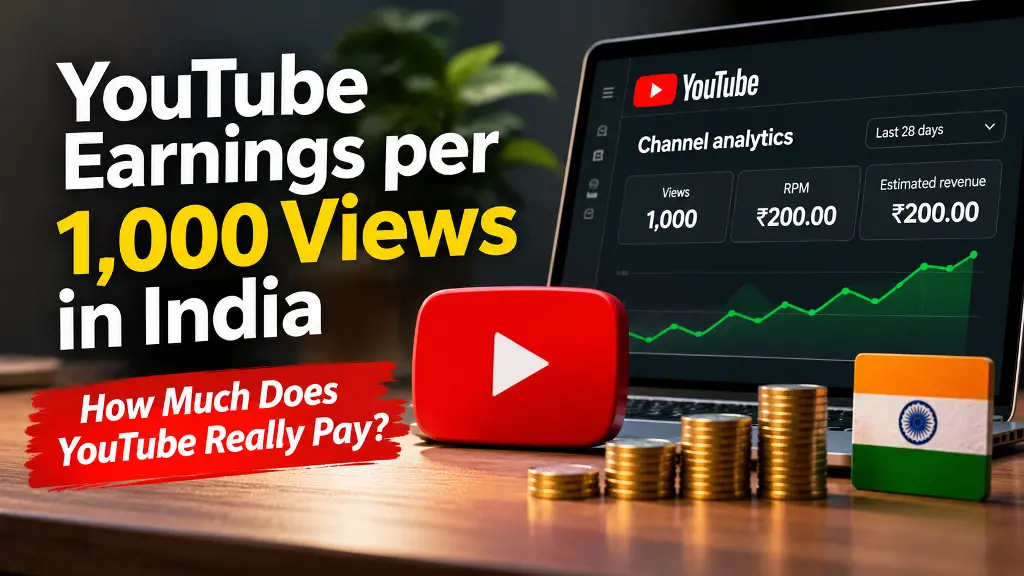
Can you really earn ₹200 for every 1,000 YouTube views in India? It is possible for a channel to record an RPM of ₹200, but YouTube does not promise a fixed payment for every 1,000 views. One creator may earn more, another may earn less, and some views may generate no advertising revenue at all. The amount depends on the channel’s actual revenue per mille (RPM), audience, content format, advertiser demand and monetization status.
This guide explains what YouTube pays for views, how to calculate an estimate using your own RPM, how long-form videos differ from Shorts, and which monetization requirements apply to creators in India. The examples are calculations, not published or guaranteed Indian industry rates.
Does YouTube Pay ₹200 for 1,000 Views?
There is no universal YouTube rate of ₹200 per 1,000 views. The figure can be used as an example only when a creator’s actual RPM is ₹200. Your RPM is the useful number to check in YouTube Studio because it represents the revenue attributed to your channel per 1,000 views, after YouTube’s revenue share.
Revenue also depends on whether your channel is approved for the relevant YouTube Partner Program monetization features. Views earned before you become eligible for a particular revenue-sharing feature do not automatically become payable later. Even on a monetized channel, not every view is accompanied by an ad.
For that reason, be careful with videos or websites promising a fixed amount for every 1,000 views. Treat any rate that is not based on your own YouTube Analytics data as an estimate, not a promise.
What Is RPM on YouTube?
RPM means Revenue Per Mille, or revenue per 1,000 views. YouTube describes RPM as a creator-focused metric that can include advertising revenue, YouTube Premium revenue, channel memberships, Super Chat and Super Stickers. It is calculated after YouTube’s revenue share and includes views that did not show an ad. This is why RPM is generally different from CPM.
CPM means Cost Per Mille. It describes what advertisers pay per 1,000 ad impressions before YouTube’s revenue share. CPM is not the amount a creator takes home for every 1,000 video views. A video can receive many views without a matching number of monetized ad impressions.
| Metric | What it means | Useful for |
|---|---|---|
| RPM | Creator revenue per 1,000 views, after YouTube’s revenue share | Estimating the revenue your channel receives |
| CPM | Advertiser cost per 1,000 ad impressions, before revenue share | Understanding advertiser demand and ad pricing |
| Monetized playbacks | Video playbacks where at least one ad impression was shown | Understanding how often views generate an ad impression |
Read YouTube’s explanation of RPM, CPM and ad revenue analytics for the official definitions.
How to Calculate YouTube Earnings for 1,000, 10,000 or 1 Million Views
Use this simple formula to estimate revenue from a video’s views:
Estimated revenue = (Views ÷ 1,000) × Your RPM
For example, if YouTube Studio shows an RPM of ₹200, then 10,000 views would work out to approximately ₹2,000 at that RPM. If your RPM is ₹50, the same 10,000 views would work out to approximately ₹500. Your actual Analytics total may differ because revenue and views can be adjusted, and RPM can change over time.
| Views | At ₹20 RPM | At ₹50 RPM | At ₹100 RPM | At ₹200 RPM |
|---|---|---|---|---|
| 1,000 | ₹20 | ₹50 | ₹100 | ₹200 |
| 10,000 | ₹200 | ₹500 | ₹1,000 | ₹2,000 |
| 100,000 | ₹2,000 | ₹5,000 | ₹10,000 | ₹20,000 |
| 1,000,000 | ₹20,000 | ₹50,000 | ₹100,000 | ₹200,000 |
The RPM values in this table are illustrative inputs chosen to show the calculation. They are not official YouTube rates, average Indian earnings, or a forecast of what a new channel will earn. Replace them with the RPM shown in your own YouTube Studio Analytics for a more meaningful estimate.
What Affects YouTube Earnings in India?
A creator reviews channel analytics to understand views, RPM and YouTube revenue.
Two channels can receive the same number of views and earn very different amounts. The following factors help explain why.
- Audience location: Advertiser demand and the value of an ad impression can vary by country and region. A channel’s audience mix can therefore affect RPM. Do not assume that a particular city or country guarantees a specific rate.
- Topic and advertiser demand: Advertisers compete differently across subjects and audiences. A topic with strong commercial demand may attract different ad prices from a topic with fewer relevant advertisers. No category guarantees a high RPM.
- Video format: Standard watch-page videos and Shorts use different monetization systems. Their revenue metrics and calculations should not be compared as if they were identical.
- Season and advertiser spending: Advertising demand changes over time. RPM can rise or fall from one month to another even when a channel’s content and audience remain similar.
- Monetized views and ad suitability: Not every view receives an ad. Some videos may receive limited or no ads because of advertiser-suitability decisions, copyright claims or other monetization restrictions.
- Viewer engagement and watch behaviour: How viewers watch a video can influence opportunities for ads and other revenue features. Longer videos do not automatically earn more simply because they are longer.
How Much Do YouTube Shorts Pay?
Shorts revenue works differently from advertising on a standard long-form video’s watch page. Ads appear between videos in the Shorts Feed. YouTube pools the relevant Shorts Feed advertising revenue, allocates it to creators based on eligible engaged views and other factors, and pays monetizing creators 45% of the revenue allocated to them.
This means there is no dependable fixed payment per 1,000 Shorts views. Shorts revenue can vary with the country where views occur, the Creator Pool allocation, music usage and the number of eligible engaged views. YouTube’s Shorts RPM metric is based on engaged views, so compare it with the correct metric in Analytics rather than assuming it is identical to long-form RPM.
Only creators who are eligible for Shorts monetization and have accepted the Shorts Monetization Module can earn Shorts Feed ad revenue. See the official YouTube Shorts monetization policies for how the revenue pool works.
YouTube Partner Program Requirements in India
India is included in the expanded YouTube Partner Program. The program has an earlier-access level for eligible features such as fan funding and Shopping, and a higher threshold for sharing revenue from ads and YouTube Premium. Meeting a subscriber and view threshold does not guarantee acceptance: the channel must also meet YouTube’s policies and pass the review process.
| Access level | Eligibility route | What it provides |
|---|---|---|
| Expanded YPP early access | 500 subscribers, at least 3 valid public uploads in the last 90 days, and either 3,000 valid public watch hours in the last 12 months or 3 million valid public Shorts views in the last 90 days | Earlier access to eligible fan-funding and Shopping features, subject to availability and review. This is not the full ad-revenue threshold. |
| Ad revenue sharing | 1,000 subscribers and either 4,000 valid public watch hours in the last 12 months or 10 million valid public Shorts views in the last 90 days | Eligibility to apply for revenue sharing from watch-page ads, Shorts Feed ads and YouTube Premium, subject to approval and the relevant monetization modules. |
Watch hours from views of Shorts in the Shorts Feed do not count toward the 4,000-hour long-form threshold. Private, unlisted, deleted or otherwise ineligible views and watch hours may not count toward the relevant thresholds. Check the Earn tab in YouTube Studio for the progress that YouTube recognizes for your channel.
Before applying, make sure your channel follows the YouTube Partner Program eligibility requirements. You can also read the expanded YPP overview for the early-access thresholds and available features.
How YouTube Revenue Sharing Works
YouTube uses different revenue-sharing arrangements for different features. For eligible partners who accept the relevant terms:
- Watch-page ads: YouTube pays creators 55% of net revenues from ads displayed or streamed on eligible public video watch pages.
- Shorts Feed ads: Creators receive 45% of the revenue allocated to them from the Shorts Creator Pool.
- Fan-funding features: YouTube pays creators 70% of net revenues from channel memberships, Super Chat, Super Stickers and Super Thanks when the relevant Commerce Product Module is accepted.
These percentages apply to the specific revenue arrangements described by YouTube. They do not mean that a creator receives the same percentage of every advertiser’s CPM or that each view has a guaranteed monetary value. Read the official YouTube partner earnings overview for the current terms.
Do Longer YouTube Videos Earn More?
Monetized videos that are 8 minutes or longer can be set up to include mid-roll ads. Creators can use automatic or manually placed ad slots, but an ad is not guaranteed to play at every slot. YouTube’s systems consider factors such as viewer experience and advertiser value when deciding whether an ad is served.
Do not stretch a short topic into a long video just to reach the 8-minute mark. Publish a video that answers the viewer’s question fully, keep the pacing useful, and place breaks where they make sense. You can review the official instructions for managing mid-roll ad breaks.
How to Check Your Actual YouTube RPM
- Open YouTube Studio and select Analytics from the left menu.
- Open the Revenue tab. If your channel is not eligible for the relevant monetization features, some revenue reports may not be available.
- Choose a date range, such as the last 28 days, 90 days or a full year.
- Review RPM, estimated revenue and the available revenue-source reports. For Shorts, check the Shorts-specific metrics.
- Compare similar videos and date ranges. Look at audience geography, format and topic before deciding why RPM changed.
Use a consistent time period when comparing performance. A single day’s RPM can move sharply when the number or type of views changes. Estimated revenue can also be adjusted, so use the finalized payment information in your AdSense for YouTube account for payment records.
Practical Ways to Build More Sustainable YouTube Revenue
- Choose a clear audience: Make videos for people with a specific interest or problem instead of chasing unrelated trending topics.
- Publish original, useful material: Add your own explanation, experience, reporting, demonstration or creative work. Repetitive, mass-produced or minimally changed material can create monetization problems.
- Improve the opening: Tell viewers what the video will help them understand or do. Avoid long introductions that delay the answer.
- Use accurate titles and thumbnails: Make them compelling but honest. A misleading promise may attract clicks but damage viewer trust and retention.
- Study Analytics: Identify the videos that attract returning viewers, hold attention and bring in relevant audiences. Make follow-up videos that genuinely improve on what worked.
- Make videos advertiser-friendly: Follow YouTube’s advertiser-friendly content rules and copyright requirements. A video can remain visible while receiving limited or no ad revenue.
- Build income beyond ads: Where appropriate, consider memberships, sponsorships, affiliate links, products or services. These can diversify revenue, but sponsorship and many external business earnings are not included in YouTube’s RPM metric.
Review YouTube’s channel monetization policies before using automation, templates, clips or AI-assisted production. Content should provide original value and comply with reused-content and inauthentic-content rules.
Common Myths About YouTube Earnings
- Myth: Every 1,000 views pays ₹200. Reality: ₹200 is only an example if your channel’s RPM is ₹200. There is no universal guaranteed rate.
- Myth: CPM is the creator’s take-home rate. Reality: CPM is an advertiser-side metric before YouTube’s revenue share. RPM is more useful for estimating creator revenue.
- Myth: Every view is monetized. Reality: Some views do not generate an ad impression, and RPM includes views that were not monetized.
- Myth: Shorts and long-form videos pay the same way. Reality: Shorts use a separate pooled revenue-sharing system.
- Myth: Reaching 500 subscribers unlocks ad revenue sharing. Reality: The expanded YPP threshold can unlock earlier access to certain features. The higher threshold applies to ad revenue sharing.
- Myth: Buying views is a shortcut to income. Reality: Artificial traffic can violate YouTube policies, distort analytics and put monetization at risk.
Frequently Asked Questions
How much does YouTube pay for 1,000 views in India?
There is no fixed amount. Multiply your actual RPM by one. For example, an RPM of ₹50 works out to about ₹50 per 1,000 views, while an RPM of ₹200 works out to about ₹200. These are examples, not standard rates.
Can an Indian YouTube channel earn ₹200 per 1,000 views?
It can happen when the channel’s reported RPM is ₹200, but it is not guaranteed. The result depends on the channel’s viewers, topic, format, monetization features and advertiser demand. Check your own Revenue tab instead of relying on a generic rate chart.
How much can 1 million YouTube views earn?
Use the same formula: 1,000 multiplied by your RPM. At an illustrative RPM of ₹50, that would be ₹50,000; at ₹200, it would be ₹2,00,000. Actual results can be lower or higher, and Shorts should be evaluated using Shorts metrics.
Do I earn money from views before joining YPP?
Views can help a channel build toward eligibility, but they do not automatically create retroactive ad-revenue payments. You need to be accepted into the relevant monetization program and enable the applicable features.
Does YouTube pay for Shorts views?
Eligible creators who have accepted the Shorts Monetization Module can earn from Shorts Feed revenue sharing. The amount varies, and the Shorts system is separate from watch-page ad monetization.
Where can I learn how to start a channel?
Read our step-by-step guide on how to create a YouTube channel, including channel setup, branding, uploads and the basics of growing an audience.
Official YouTube Resources
- Understand RPM, CPM and ad revenue analytics
- YouTube Partner Program overview and eligibility
- Expanded YouTube Partner Program
- YouTube partner earnings and revenue shares
- YouTube Shorts monetization policies
- Manage mid-roll ad breaks
- YouTube channel monetization policies
YouTube earnings are not determined by a fixed payment per view. Use your channel’s RPM, understand the monetization rules for each format, and build original content that earns audience trust over time. Check YouTube Studio regularly because eligibility, reporting and monetization policies can change.

